

The podcast operating system
If you can talk, you can podcast.
Record once. Rebel edits it, clips it, dubs it and publishes it.
Free plan. No card. Paid plans are priced in hours.
 Spotify
 YouTube
 Apple Podcasts
 RSS feed
- Amazon Music and iHeart read your feed.
Maya
Jordan
Maya
One recording
Say it once.
The episode. The clips. The posts. One take.
- The full episodeSpotify · Apple Podcasts · YouTube · RSS
- Clips with share linksTikTok · Shorts · Reels
- Show notes and social postsLinkedIn · X · Instagram
01Clips
Every moment, its own link.
Rebel finds the moments. You pick the captions.
0:14 to 0:22. Drag a handle to trim.
A public page with the clip, its words and an embed code. Works on WhatsApp, X, Instagram and more.
So, um, here's the thing nobody tells
9:16 preview. The caption follows the words as they are spoken.
02Publish
Publish once.
Rebel hosts the feed and submits your show to Apple Podcasts on your behalf.
Send to
- Ready
- Ready
- Ready
- Ready
- Via feed
- Via feed
03Measure
Numbers the industry trusts.
Downloads counted to the IAB 2.2 rules, with Spotify and YouTube beside them.
Downloads
6,253
Last 30 days
Unique listeners
3,939
Distinct people, counted per month
Countries
38
Where people listened
Apps
14
Podcast apps used
Downloads per day
By app
By country
04Dub
The same episode, in Spanish.
Re-voiced by AI, published beside the original.
So here's the thing nobody tells you about quitting. The day I handed in my notice I felt nothing. Genuinely nothing. The relief came about three weeks later, on a Tuesday, in the cereal aisle.
Original · English
A real dub takes a few minutes and runs in the background. The voice is AI-generated and labelled that way in the feed.
05Ask Rebel
Ask for the show notes.
Titles, notes, a cover, posts. You review before anything goes out.
Pick a question to see Rebel's answer for this episode.
Replies written for this demo episode. Rebel never publishes anything you have not reviewed.
Also in the box
- Automatic clean-up
- Cover image
- Record or import
- Show email
- Team roles
The shift
Built for experts. Rebuilt for everyone.
- Audio workstation
- RSS host
- Caption tool
- Clip app
- Scheduler
- Three dashboards
- Dubbing studio
- Designer for the cover
- Jargon
Record one podcast.
Rebel does the rest.
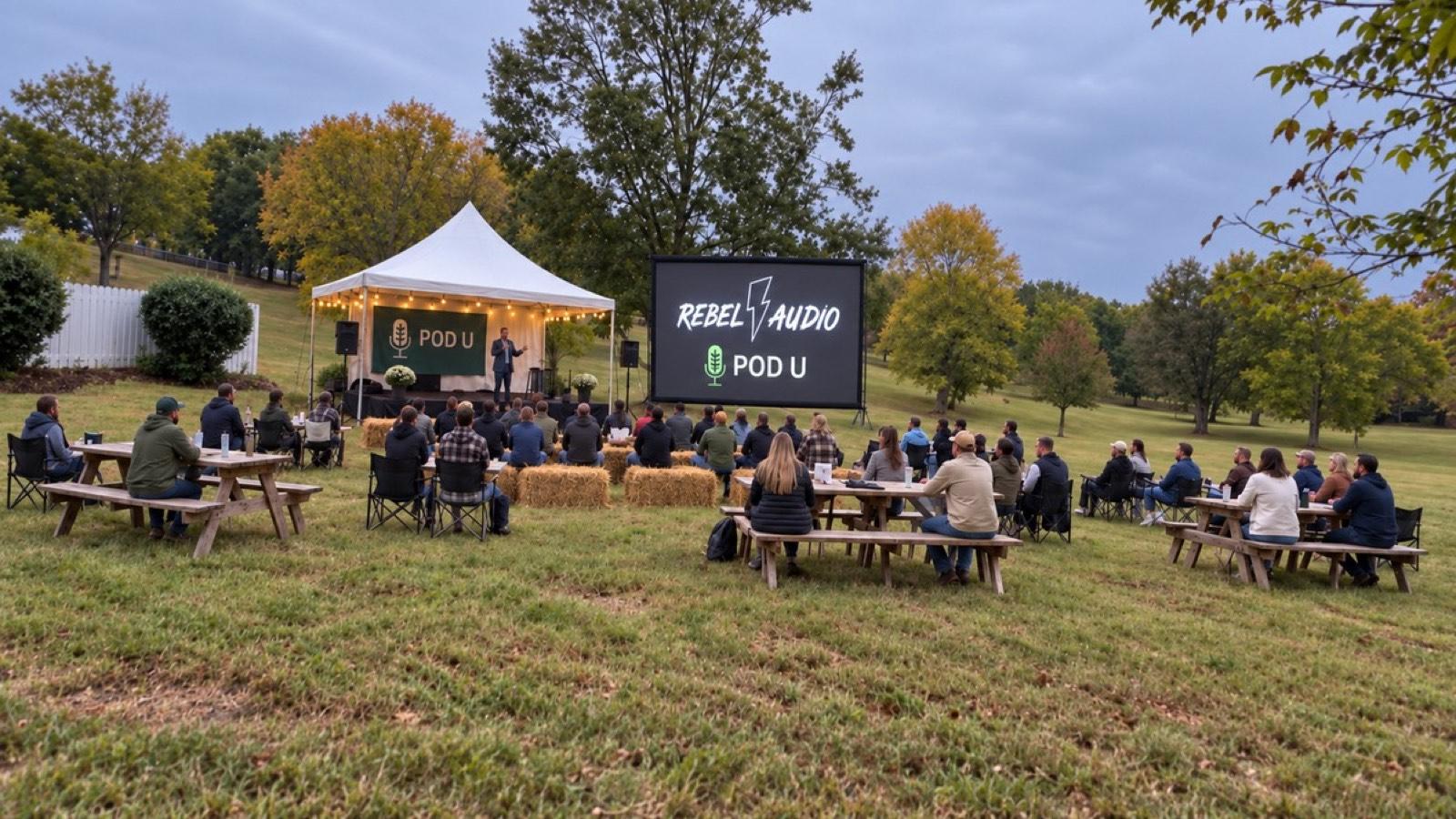
Pod U · Franklin, Tennessee · October 16, 2026
The talent is already here.
Invite-only. Thirty acres in Franklin, Tennessee.
See the Pod U recap Mike MajlakChief Creator in Residence
 MD MotivatorKindness Is Cool
 Jared GutstadtFounder and CEO
- Mark Burnett, adviser
As seen in
Pricing
Start free. Plans priced in hours.
Free is a plan, not a trial: no card, no expiry. Paid plans add recording hours, downloads, shows, seats and dubbing.
- A free plan with hosting, the editor, clips and publishing.
- Paid plans are priced by hours of audio a month, with AI included.
- Change or cancel any time from Settings › Billing.
Questions
Do I keep the rights to my show?
Yes. Everything you record, upload or make with Rebel Audio stays yours. We host it and send it only where you tell us to. You can take your feed to another hosting service at any time, and delete your account once your shows are moved or deleted.
Can I bring an existing show?
Yes. Paste your show's RSS feed address and Rebel imports the episodes and artwork. Importing is free; transcribing an imported episode uses hours. Rebel then shows you how to move your old feed to the new one, so your listeners come with you.
What does the AI do with my audio?
It transcribes the episode, drafts titles, show notes and cover art, suggests clips and answers your questions about it. Nothing is published until you say so, and the Privacy Policy says exactly what we keep and for how long.
Where does it publish?
In one step, the episode goes to your show's RSS feed (the public link podcast apps use), YouTube and Spotify. Spotify: the show is listed on Rebel Audio's own Spotify account with ads on (except on a show made for children). We pay you 90% of what Spotify pays us for it, and any monetization you set up on Spotify yourself ends. Apple Podcasts: press Set up once, and we submit your show from Rebel's Apple account. Other apps, like Amazon Music and iHeart, can use your RSS feed. The Terms have the details.
How much does it cost?
Free needs no card. Paid plans are priced by the hours of audio or video you record, upload or import each month, with downloads, shows and team members to match. If you need more hours, you can buy extra hours. Every plan is on the pricing page.
Can I cancel?
Yes, at any time, from Settings › Billing. One show stays up on the Free plan, with its audio. We can change the Free plan; the Terms explain how.
What Rebel Audio does
Rebel Audio is a podcast creation and hosting app. Creators use it to make each episode from start to finish — record, edit, finish, publish and share — all in one place.
With Rebel Audio you can
- Record in your browser, or bring in audio and video you already have — a file, a link, an RSS feed, Dropbox or Google Drive.
- Edit by editing the transcript: delete a sentence and the recording is cut to match. Rebel removes filler words and long silences, makes the volume even, and can put a beep over swear words.
- Get AI drafts of your show notes, titles and cover art, cut clips with share links, make a version of an episode in another language (dubbing), and ask Rebel about your show — you review everything before it goes out.
- Host your show with us and publish to its RSS feed, YouTube and Spotify. On Spotify, the show is listed on Rebel Audio's own Spotify account, with ads on unless it is made for children, and we pay you 90% of what Spotify pays us for it. For Apple Podcasts, you press Set up once and we submit the show from our Apple account; ask us and we move the listing to your own account.
- See downloads and your Spotify and YouTube numbers in one place, give your show its own email address, and work with a team under the roles you set.
Rebel's AI tools are built not to create sexual, nude or intimate images of anyone. Our Terms forbid it, and we remove content and close accounts that try. Report anything that gets through to support@rebelaudio.ai.
How Rebel Audio uses Google
Google is optional. You connect only what you want to use, and you can disconnect any time in Settings.
- Sign in with Google
- Your name, email address and profile picture — used only to create your account and sign you in.
- YouTube
- Only to publish the episodes you choose to your own channel, and to show you their views and watch time inside Rebel Audio.
- Google Drive
- Only the files you pick in Google's file picker, copied into your episode. We can't see anything else in your Drive.
We never use your Google data for anything else: no ads, no selling it, no training AI models, and never to create images.